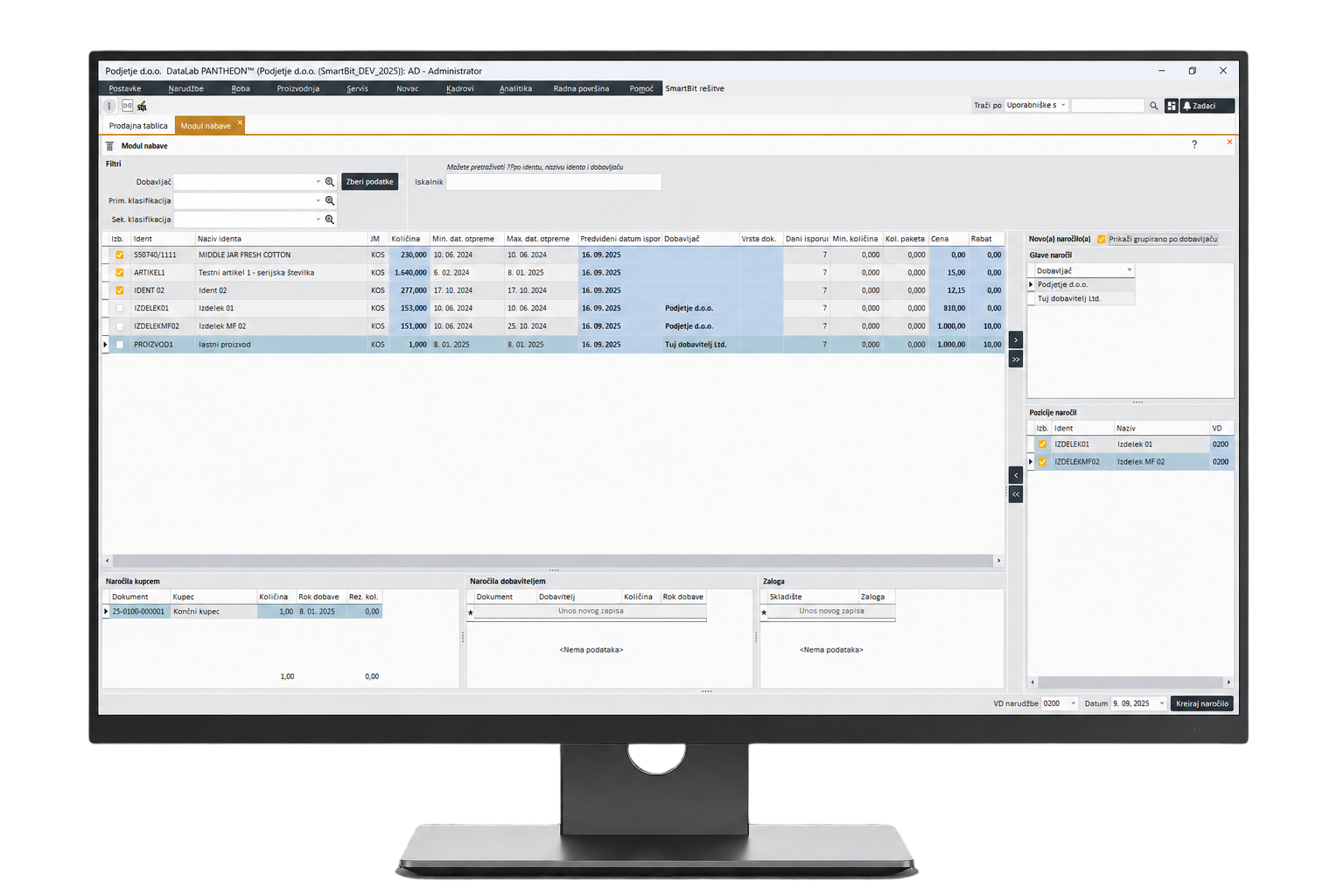
Purchasing Dashboard@SmartBit
A clear overview of what is missing, what has been ordered, and what is still pending.
A central overview of all item requirements that are currently out of stock but linked to open sales orders. It combines requirements for both in-house production and supplier orders in one place, while taking into account item master settings such as lead times, minimum quantities, optimal stock levels, and packaging units. The system provides automatic quantity suggestions and enables easy order creation directly from the dashboard, either for suppliers or production. Once an order is created, the requirement is closed and immediately visible in the sales dashboard as well.
Overview of all item requirements
The purchasing dashboard displays items that are currently out of stock but are required to fulfill sales orders.
It is immediately clear what needs to be ordered or produced.Connection with sales
Requirements come from open sales orders, so purchasing is based on actual customer needs.
In-house production or supplier
The dashboard combines requirements for in-house production orders and orders from external suppliers.
Item master settings taken into account
The system uses settings from the item master, such as lead times, packaging units, and minimum quantities.
Automatic quantity suggestions
The dashboard can suggest order quantities based on requirements, minimum stock, optimal stock, and packaging units.
Creating orders from the dashboard
Purchase orders or production orders can be created directly from the purchasing dashboard.
Overview of covered requirements
Once an order is created, the requirement is closed or marked as covered.
Visibility in the sales dashboard
Created orders are also visible in the sales dashboard, giving sales a better overview of expected delivery.
Less manual work
Automatic suggestions and direct order creation reduce the need for manual checking and re-entering data.
Integration with ERP Pantheon
Purchasing Dashboard@SmartBit is connected with ERP Pantheon and follows the processes within the information system.
Questions Before Implementing the SmartBit Solution
Find answers about integration, warehouse use, equipment, implementation, and support.
Yes. The solution connects with PANTHEON ERP and enables reliable data flow between the warehouse and the business system. We adapt the implementation to your processes.
The system supports multiple users and multiple devices working at the same time.
We support verified mobile terminals and industrial scanners.
The implementation time depends on the scope, but it is usually carried out quickly and in a structured way.
We provide user assistance, upgrades, and long-term solution stability.